Least-privilege CRM access for AI agents: a Salesforce and HubSpot permission audit
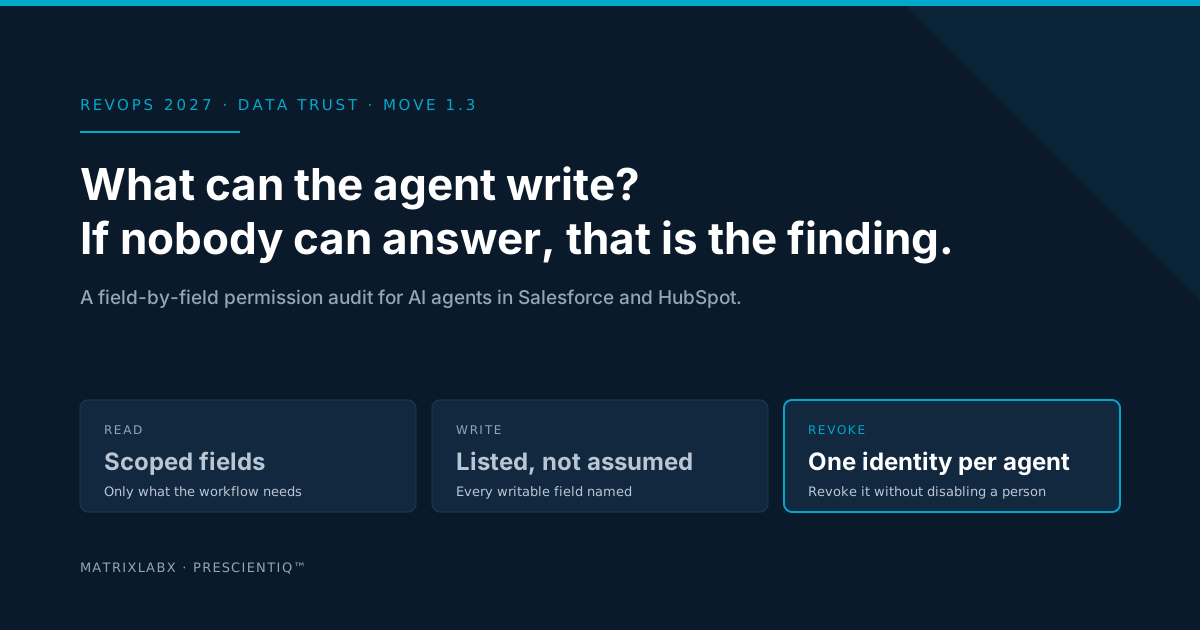
Least-privilege CRM access for an AI agent means one identity per agent, read access to the fields its workflow decides on, a named list of the fields it may write, no send or export beyond that list, a record of every change, and a kill switch that does not touch a person. This post is the six-step audit that gets you there in Salesforce or HubSpot, and the test that proves the constraint is real.
Ask a RevOps team what their AI tools can write to the CRM and the honest answer is usually a pause. The tool was connected by whoever set it up, with whatever login was handy, and it has worked ever since. That arrangement is fine for a dashboard. It is not fine for an agent, because an agent acts, and the first time it acts wrongly the two questions that matter are what it was allowed to do and who can turn it off. If nobody can answer either one, that is the finding.
Move 1.3 of the 2027 RevOps Survival Blueprint is the guardrail audit and least-privilege permission model. This post is the how-to. It walks the six questions in the order to ask them, what the answer looks like in Salesforce and in HubSpot, and the one test that separates a real constraint from a written one.
Why human permissions do not transfer to agents
CRM permission models were designed around people. A person has a role, the role has a profile, and the profile grants broad access because a person exercises judgment inside it. A sales manager can edit any opportunity, but does not edit all of them at once, and notices when a field looks wrong.
An agent exercises the permission, not the judgment. Give it a manager’s profile and it can change every opportunity in the org in the time it takes to run one loop. Give it a shared admin login and its actions appear in the audit trail under an administrator’s name. The entitlements that were a convenience for a person are an exposure for an agent, which is why the permission model has to be rebuilt from the workflow outward, not inherited from a role.
The six-step audit
Run this once per agent, per workflow. The questions are the same in every CRM; the right-hand columns show what a passing answer looks like in the two systems PrescientIQ integrates with. Edition matters for some of the controls, so treat the columns as the shape of the answer and confirm the feature in your own admin console.
| Step | The question | Salesforce | HubSpot |
|---|---|---|---|
| 1. Identity | Does the agent have its own login, or is it using a person’s or a shared admin account? | A dedicated integration user with its own license, never a named person’s credentials. | A private app with its own access token, never a super admin user’s session. |
| 2. Read scope | Which objects and fields does the workflow actually decide on? | Permission sets granting read on those objects only; field-level security hides the rest. | Read scopes on the specific object types the workflow uses, not the full CRM scope set. |
| 3. Write list | Which fields is the agent allowed to change? Name each one. | Edit permission on the listed fields only; validation rules reject out-of-range values. | Write scopes limited to those objects; property-level permissions where the edition supports them. |
| 4. Send and export | Can it email, enroll, delete, or export? | No delete, no data export, no email-send permission unless the workflow is a governed send. | No marketing-email or export scopes unless the workflow is a governed send. |
| 5. Record | Can you reconstruct what it changed, from what, and why? | Field history on every writable field; setup audit trail for permission changes. | Property history on every writable property; audit log where the edition provides it. |
| 6. Revocation | Can you turn it off in one step without touching a person? | Deactivate the integration user or revoke the connected app; nobody else is affected. | Rotate or delete the private app token; nobody else is affected. |
Step 1: one identity per agent
Everything else depends on this. An agent on its own identity can be scoped, attributed, and revoked. An agent on a person’s login or a shared admin account can be none of those. In Salesforce that means a dedicated integration user; in HubSpot it means a private app with its own token. If you have several agents, each gets its own, so the ledger can say which one acted.
Steps 2 and 3: the read scope and the write list
Start from the workflow, not from the role. List the fields the agent needs to decide: for a prospecting workflow, firmographics, intent, and open-opportunity status; for a trial workflow, product events and lifecycle stage. That is the read scope. Then list the fields the agent produces: a score, a stage flag, a next-step note, an activity record. That is the write list, and it is usually much shorter than people expect. Anything a customer would see, anything financial, and anything that triggers another automation stays human-only until the ledger shows the agent’s writes are reliable. The five design rules for deploying on imperfect CRM data cover how to widen that list on evidence.
Step 4: send, delete, export
These are the permissions that turn a data error into an incident. An agent that can email, enroll in a sequence, delete, or export should have that permission because the workflow is a governed send with a named approver, never because it came with the profile. If the workflow does not send, the agent cannot send.
Step 5: the record
Field history in Salesforce and property history in HubSpot tell you what changed. On their own they do not tell you which agent changed it, on what input, or whether anyone approved. That is the gap the audit ledger closes, and it is why the ledger is the system of record for agent actions. For the permission audit, the requirement is simpler: history tracking is on for every field in the write list, and permission changes themselves are logged.
Step 6: the revocation test
Turn the agent off. If that means deactivating one integration user or rotating one token and nothing else changes, you pass. If it means resetting a person’s password, disabling an integration five other tools share, or asking the vendor, you have found the exposure before an incident did.
Key value propositions
The write list is the policy
A permission model you can read is a governance policy you can enforce. If every field an agent can change is named, the audit is a diff, not a debate.
Attribution survives the incident
One identity per agent means the audit trail says which agent changed the record, on what input, and under whose approval, rather than showing an administrator’s name.
Revocation is surgical
An agent on its own identity can be turned off in one step while the people who supervise it keep working. A shared login makes the kill switch a company-wide outage.
Constraints that survive a prompt
A limit enforced by the CRM holds whether or not the agent was told about it. That is the difference between a guardrail and a suggestion, and it is what a security review will test.
How exposed is your CRM to an agent today?
Four questions, in the order the audit asks them. The result tells you which step to start on.
Where does your agent permission model stand?
How PrescientIQ is built against this audit
Each agent runs under its own least-privilege identity, enforced by permissions and not by prompt instructions. Entitlements can be listed, and an agent can be revoked without disabling a person. Every action, in either mode, is recorded to the audit ledger with its rationale, before-and-after state, and the approver or policy behind it. Agents treat inbound surfaces such as email replies, web pages, and CRM fields other people write into as untrusted input. Customer-facing sends are held for a named person’s approval. Where the platform runs, and whose attestations apply, is stated on the AI trust page, including what we do not claim.
PrescientIQ is hosted and operated by MatrixLabX on Google Cloud. SOC 2, ISO 27001, and PCI DSS attestations are held by Google Cloud, which operates the underlying infrastructure. They are not MatrixLabX certifications. MatrixLabX application-layer SOC 2 is in progress.
Frequently Asked Questions
- What does least privilege mean for an AI agent in a CRM?
- Least privilege means the agent holds its own identity with the minimum entitlements its workflow needs: read access to the fields it decides on, write access only to the fields it is allowed to change, and no ability to send, delete, or export beyond that list. It is enforced by the CRM’s permission model, not by instructions in a prompt.
- Why should an AI agent not use a shared admin login?
- A shared admin login gives the agent every permission a human administrator has, makes its actions indistinguishable from a person’s in the audit trail, and means revoking the agent also disables the person. One identity per agent keeps the entitlements listable, the actions attributable, and the revocation surgical.
- How do you scope an AI agent in Salesforce?
- Give the agent its own integration user rather than a person’s login, assign permission sets that grant only the objects and fields the workflow needs, restrict field-level security on anything it should read but not change, and connect it through an app whose OAuth scopes match that list. Review the setup audit trail and field history to confirm it behaves as scoped.
- How do you scope an AI agent in HubSpot?
- Connect it through a private app with only the object scopes the workflow needs, separating read and write scopes, rather than through a super admin user. Use user permission sets and, where your edition supports it, property-level permissions to keep sensitive fields out of reach, and check property history to verify what it actually changed.
- Which fields should an AI agent be allowed to write?
- Start with the fields that are the output of its workflow, such as a score, a stage flag, a next-step note, or an activity log, and nothing else. Fields a customer would see, financial fields, and anything that drives another automation should stay human-only until the ledger shows the agent’s writes are reliable.
- How do you test whether an AI agent is really constrained?
- Ask it to do something outside its scope and watch what the CRM does, not what the agent says. Ask for a write to a field it should not touch, an export, or a send. A constraint enforced by the permission model fails at the CRM. A constraint written into a prompt usually does not.
- How does PrescientIQ handle agent permissions?
- Each PrescientIQ agent runs under its own least-privilege identity, enforced by permissions rather than prompt instructions. Its entitlements can be listed, and an agent can be revoked without disabling a person. Every action is recorded to the audit ledger with its rationale, before-and-after state, and the approver or policy behind it.
Related Reading
- The 2027 RevOps Survival Blueprint
- AI Readiness Assessment for Revenue Teams: six dimensions and a self-score
- Passing the security review before any agent touches the CRM
- The audit ledger is the new system of record for agent actions
- How to deploy agents on the CRM you actually have
- Poisoned Pipelines: Securing the B2B AI Supply Chain in RevOps
- AI Trust and Governance at MatrixLabX
Notes on this post
Salesforce and HubSpot controls are described at the level of their public documentation; availability of some controls depends on edition, and the admin console is the authority. No comparison or performance claim is made about either product. Product statements about PrescientIQ match the current public copy on the AI trust and Revenue Accelerator pages. The quotation is George Schildge’s, in a form he supplied for this series. Nothing here is legal or security advice; bring the findings to your own security team.
See where your own execution effort is going
The Autonomous Audit Report models where your team's execution capacity is currently spent, what your configuration is actually paying for, and what the governed alternative looks like on your own data — before any commitment.
Get your free AAR benchmark