Software Utility vs. Digital Labor: Is Your Tech Stack Working for You, or Are You Working for Your Tech Stack?
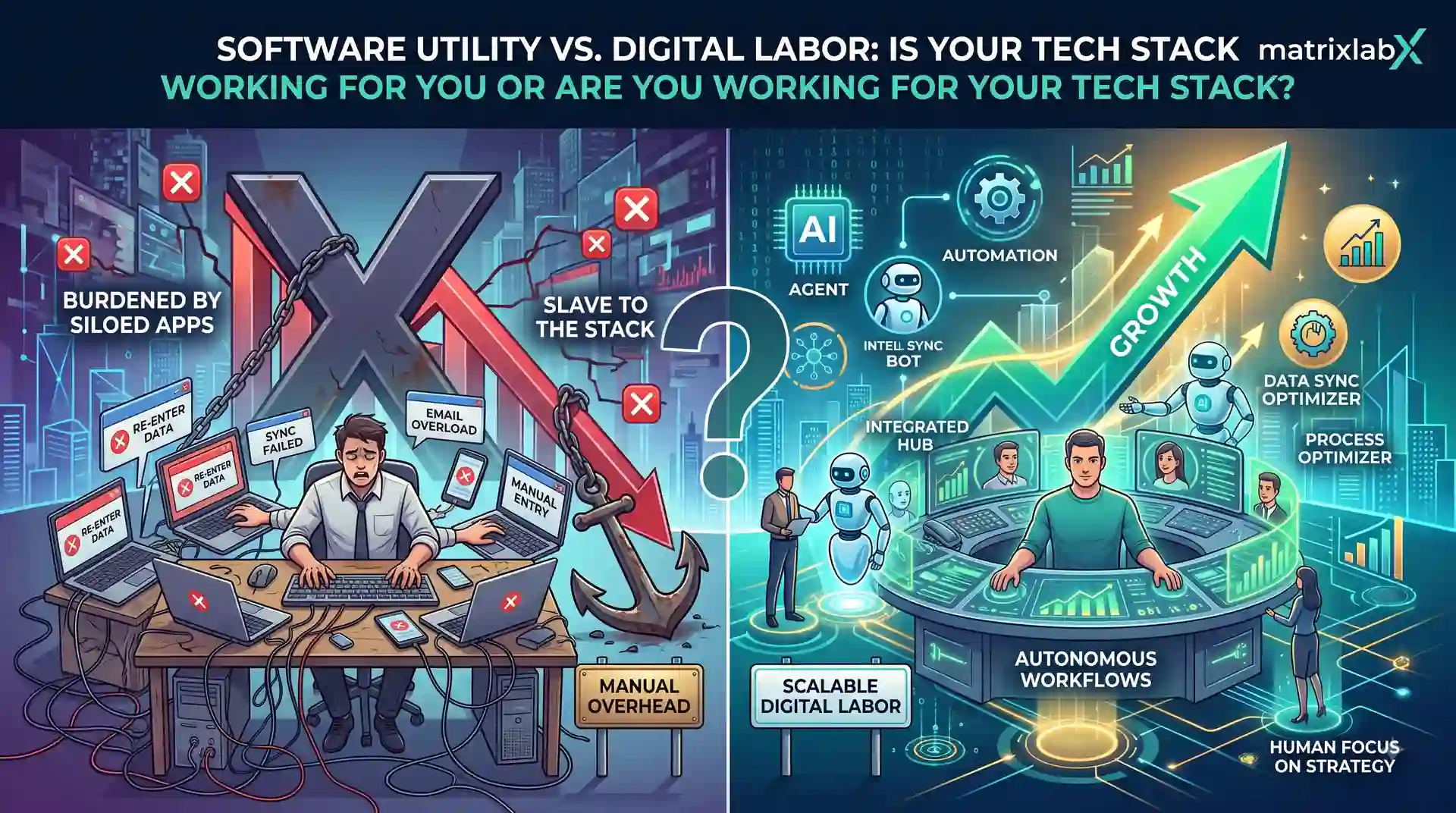
A software utility holds state, exposes an interface, and waits for a human to operate it. Digital labor performs the task end to end — sensing the trigger, deciding the action, executing in the systems of record, and stopping at an approval gate before anything consequential leaves the building. The test is not how modern the interface looks. It is what the system produces when nobody logs in.
The category question hiding in your renewal
Enterprise software has spent thirty years getting better at the same thing: giving a person a better place to do work. Faster queries, cleaner interfaces, more integrations, better mobile. All genuine progress, and all of it aimed at the same target — the human operator.
That target is now the constraint. When output is bounded by how many people you have and how fast they can move through screens, a better screen produces a marginal gain. It does not change the shape of the curve.
The distinction worth defending to a board is not AI versus not-AI. Most of your stack has shipped AI features by now. The distinction is utility versus labor — whether you are buying a place to do work or the work itself.
Four questions separate them, and none of them are about model quality.
| Software utility | Digital labor | |
|---|---|---|
| Billable unit | Access — per seat, per month | Output — per completed workflow |
| With nobody logged in | Holds state, produces nothing | Continues executing |
| Handles exceptions by | Surfacing them to a person | Resolving, or escalating with context |
| Accountability when wrong | The operator who clicked | Named approver on an audit ledger |
| Capacity scales with | Headcount | Compute |
| What it removes | Keystrokes | The task |
Why automation is not the same answer
The obvious objection is that this is just workflow automation with better marketing. It is worth taking seriously, because the difference is specific.
Scripted automation executes a path a human defined in advance. It is fast, cheap, and deterministic — and it breaks the moment reality deviates from the path. What happens next is the part that matters: the exception goes back to a person. Over time your team stops handling the routine cases and handles only the hard, ambiguous, context-dependent ones, at the same headcount, with none of the volume relief that justified the automation.
Digital labor is defined by what it does with the exception. An agent evaluates the context, selects an action, and escalates what it cannot resolve — with the reasoning attached. That is the difference between removing keystrokes and removing the task.
Which one are you running?
Three questions, answered honestly about the workflow that consumes the most staff time.
Is your stack a utility or a workforce?
Three ways the distinction bites
The utility trap looks different by industry — but the shape is always the same: a competent tool, and a person acting as its runtime. These are illustrative composites, not named client accounts.
Use case
B2B SaaS
CTO · 14-tool GTM and success stack
Fourteen best-in-class tools, each holding one slice of the customer picture
The stack is well chosen. Each tool is best-in-class, each was bought for a defensible reason, and each holds a slice of the customer picture.
Your integration layer between those tools is a person
The integration layer between those fourteen tools is a person. A customer success manager opens the product analytics tool, reads usage, cross-references the CRM, checks the support queue, forms a judgment, and writes an email. None of the first four steps require judgment — but all of them require a human, because the tools hold data and wait. Add accounts and you add coordinators, not capacity.
Keep the systems of record, replace the human integration layer
Keep the systems of record. Replace the human integration layer with agents that read across all fourteen under scoped identities, assemble the account picture, draft the intervention, and hold it at an approval gate. The CSM moves from assembling context to deciding on it, and account load stops being a function of how fast someone can click.
Use case
Financial Services
Head of Compliance Technology · KYC and AML alert operations
The surveillance platform generates alerts reliably, exactly as designed
The surveillance platform is doing its job — it generates alerts against the configured rules, continuously and reliably.
Generating alerts was never the constraint — triaging them is
Generating alerts is not the constraint. Triaging them is. Alert volume exceeds analyst capacity by a wide margin, the large majority resolve as false positives, and every hour spent clearing noise is an hour not spent on the alert that matters. Hiring more analysts scales the cost linearly against a volume curve that is not linear, and the platform cannot help because triage was never its job.
Agents assemble the case file; suspicion stays with the analyst
Agents perform first-pass triage: gathering the supporting record, checking the sanctions and adverse-media picture, assembling the case file, and proposing a disposition. Suspicion stays human — an analyst decides, and files. Every enrichment step and every proposed disposition is attributable and written to an immutable ledger, so the audit question “how was this alert handled” has an answer that does not depend on someone’s memory.
Use case
Healthcare
Director of Patient Access · prior authorization operations
Every payer portal has its own login, form, and status page
Prior authorization runs through payer portals. Each portal has its own login, its own form, its own document requirements, and its own status page.
Portals hold state and wait, so clinical capacity goes to data entry
The portals are utilities in the purest sense: they hold state and wait for a human. Staff spend a substantial share of every week keying the same clinical data into different forms and re-checking status pages that will not notify them. AMA data has put the prior-authorization burden at roughly 13 physician-and-staff hours weekly. That is clinical capacity spent on data entry, and patients wait while it happens.
Agents work the portals; licensed humans keep the clinical judgment
Agents work the portals — submitting, attaching documentation, polling status, and surfacing only exceptions and denials to staff. Clinical judgment and any appeal narrative stay with licensed humans. Because every agent acts under a scoped, least-privilege identity, every action is recorded to an immutable audit ledger.
What this changes for architecture
Buying labor rather than utility moves three decisions that a CTO owns:
- Identity becomes per-agent, not per-integration. Each agent needs a scoped, least-privilege identity in your systems of record, and those identities need lifecycle management like any other principal.
- The approval gate sits on the execution path. Governance that logs after the fact cannot prevent an action. A gate that screens before dispatch can.
- Maintenance becomes a named responsibility. An agent that performed well in March drifts by September as the market and the ICP move. Periodic inspection and drift detection are operational requirements, not nice-to-haves.
We cover the four-layer build in agentic AI architecture and the governance placement question in glass-box compliance.
Frequently asked questions
What is the difference between software and digital labor?
Software is a utility: it holds state, exposes an interface, and waits for a human to operate it. Digital labor performs the task end to end — sensing a trigger, deciding what to do, acting in the systems of record, and producing a completed unit of work. The practical test is what the system produces when nobody logs in.
Is workflow automation the same as digital labor?
No. Scripted automation executes a fixed path that a human defined in advance and breaks when reality deviates from that path. Digital labor handles the deviation — it evaluates context, selects an action, and escalates what it cannot resolve. Automation removes keystrokes; digital labor removes the task.
Does digital labor mean removing humans from the process?
No. It changes which part of the process humans occupy. Agents absorb volume-bounded, judgment-light execution. Humans keep approval authority over consequential actions and own the judgment calls. In governed deployments every agent action is written to an immutable audit ledger with a named approver.
How do I evaluate a digital labor platform against our existing stack?
Ask what unit the vendor bills, what the system produces with no human logged in, who is accountable when an action is wrong, and whether there is an approval gate on the execution path rather than a log written after the fact. Those four answers separate a workforce from a well-designed interface.
What happens to our existing SaaS investment?
Most of it stays. Systems of record remain systems of record — agents read and write to them under scoped identities. What changes is the count of humans required to move work through those systems, which is where the licence and labor cost concentrate.
Run the test on your own stack
Bring the workflow that consumes the most staff hours. We will map which steps are execution and which are judgment, and what the governed version looks like.
Book a Discovery Call