AI readiness assessment for revenue teams: the six dimensions and a self-score before the audit
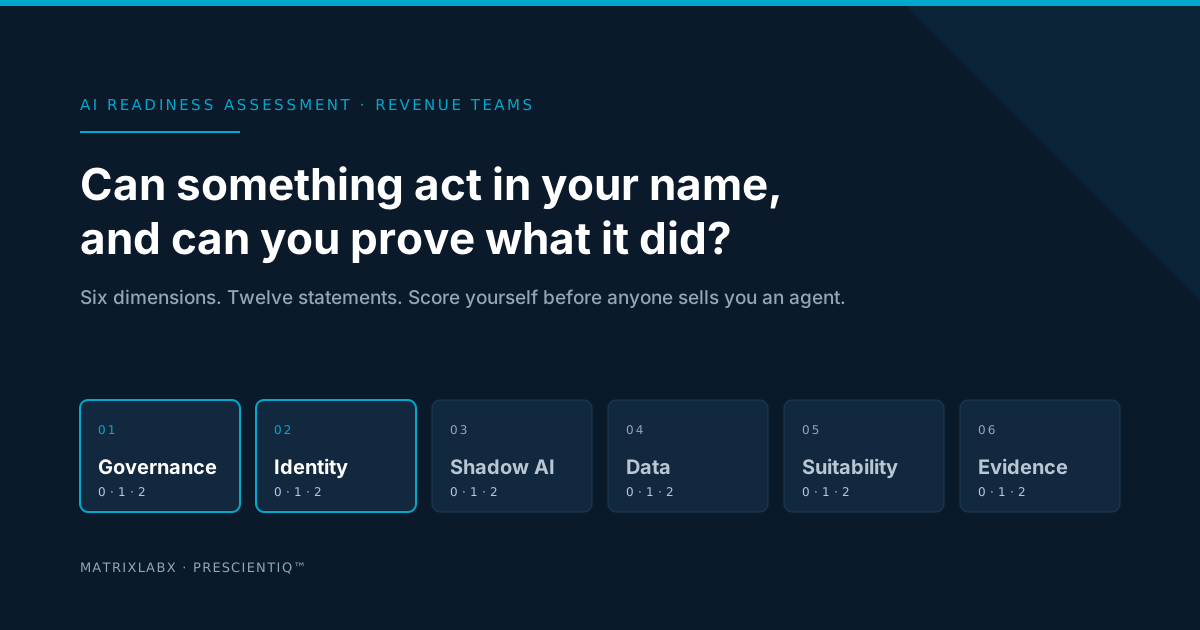
An AI readiness assessment for a revenue team answers one question: can something act on your CRM and contact your customers under your name, with a person approving only some of the steps, and can you prove afterwards what it did? It checks six dimensions: governance and the approval path, non-human identity, shadow AI exposure, data readiness, workflow suitability, and the evidence trail. This post explains each one, shows what failing it looks like, and gives you a 12-statement self-score to run before anyone sells you an agent.
Most AI readiness assessments ask whether a company can adopt AI at all: skills, data maturity, a backlog of use cases. That is the wrong question for a revenue team, because the revenue team is not adopting a chatbot. It is deciding whether to let software research accounts, write to the CRM, draft and send outreach, and intervene in trials and renewals. Autonomy changes the risk profile. The assessment has to change with it.
We set out the three concerns that will decide which revenue AI programs survive 2027 in the RevOps 2027 hub and the plan for each in the Survival Blueprint. This post is the step that comes before either: finding out, in about ten minutes, which of the six dimensions you would fail today.
The six dimensions, and why the order matters
The six dimensions below are the ones MatrixLabX’s Agentic Readiness Audit assesses, in the order it assesses them. The order is not arbitrary. A gap in governance or identity undermines everything after it: an agent with no approval path and a borrowed login cannot be made safe by better data. For each dimension, the question the assessment asks, and what the gap looks like when a revenue team has it.
Governance and the approval path
- What the assessment asks
- Where does a person sit relative to the agent? Is approval on the execution path, or applied after the fact? What does a rejection actually do? Can anyone say why a given action was taken?
- What the gap looks like
- Monitoring without control: a dashboard shows what the tool did, but nothing stopped it beforehand and nobody can say who authorized it.
Go deeper: Human-in-the-loop vs. human-on-the-loop: setting the autonomy ceiling for each revenue action
Non-human identity
- What the assessment asks
- Does each agent hold its own scoped identity, or borrow a person’s? Can its entitlements be listed, attributed, and revoked without disabling a human?
- What the gap looks like
- The sales-engagement tool runs on a departed rep’s login, the audit trail shows that rep’s name on changes made last week, and turning it off means resetting a password.
Go deeper: Least-privilege CRM access for AI agents
Shadow AI exposure
- What the assessment asks
- Which teams already run assistants or agents outside any central inventory? What data do those tools reach? Could you answer a customer or regulator asking what is deployed?
- What the gap looks like
- Three browser extensions, a personal assistant subscription, and a trial of a sequencing tool are reading the CRM, and the inventory lists none of them.
Go deeper: Passing the security review before any agent touches the CRM
Data readiness
- What the assessment asks
- Do the systems an agent would act on agree about the same account? When CRM, product telemetry, and billing disagree, which one wins? Does a write record the before-and-after state?
- What the gap looks like
- The CRM says the account is a prospect, billing says it churned last quarter, and an outbound sequence is drafted to the former champion.
Go deeper: What “AI-ready data” means for revenue teams
Workflow suitability
- What the assessment asks
- Which work is judgment-light enough to hand over first, and which is not? Where would an error land, inside the company or in front of a customer?
- What the gap looks like
- The first automated workflow is the one with the most visible upside rather than the most reversible error, so the pilot’s first mistake is a customer-facing one.
Go deeper: How to deploy agents on the CRM you actually have
Evidence and audit trail
- What the assessment asks
- Is the record you would need in an audit actually being produced: actor, rationale, inputs, approver, before-and-after state, retained and readable by someone who was not in the room?
- What the gap looks like
- Field history says a value changed on Tuesday. It cannot say which system changed it, on what input, or whether anyone approved.
Go deeper: The audit ledger is the new system of record for agent actions
Score your team: twelve statements, ten minutes
Two statements per dimension. Score each 0 (no), 1 (partly), or 2 (yes). Be honest; nobody is grading this but you, and nothing you select is stored or sent anywhere. Your total appears when all twelve are answered, with what it means and the next move.
Answered 0 of 12
0 / 24
- 19–24:
- Ready to scale: the six dimensions hold
- 11–18:
- Fix the lowest-scoring dimension first
- 0–10:
- Start with a current-state diagnosis
What to do with the score
19 to 24. The six dimensions hold. Your question is no longer readiness but return: which workflow first, at what scope, and what it is worth on your own pipeline. That is a modeling exercise, and the free AAR builds it on a sample of your data with every figure labeled as modeled.
11 to 18. One or two dimensions are weak. Find the lowest-scoring one and close it before adding anything. If it is governance or identity, the fix is a decision and a permission change, not a purchase: set the mode per action class and issue one identity per tool. If it is data, scope the audit to the fields the first workflow touches. If it is evidence, require a reconstructable record as a contract term. The Blueprint’s nine moves map one-to-one onto these gaps.
0 to 10. Hold new AI spend. Not because the team is behind, but because an agent deployed into this state would automate the gaps at scale. Start with the inventory of what already touches your CRM, a dated baseline for the first workflow, and a record of every write. Those three are also what the AAR produces first, which is why it is free.
How the free Autonomous Audit Report works
The free Autonomous Audit Report is a P&L projection built on your own data in a read-only working session. Every figure in it is labeled as modeled. It covers the same six dimensions as this post, on a read-only sample of your CRM and revenue data, and comes back as a written assessment within 48 hours of the intake session, with a 30-minute readout. The honest output names the gaps that would block a production deployment and the workflows that should stay with people. You keep the report whether or not we ever speak again.
Two things the audit assumes about any platform it would recommend, because PrescientIQ is built on them: Each agent runs under its own least-privilege identity, enforced by permissions and not by prompt instructions. Entitlements can be listed, and an agent can be revoked without disabling a person. Every action, in either mode, is recorded to the audit ledger with its rationale, before-and-after state, and the approver or policy behind it.
If the audit leads to a PrescientIQ deployment, this is the window it is built to fit, subject to CRM data quality and integration scope:
Figures labeled as targets are modeled against current human and copilot baselines. They are not guarantees. Every engagement begins with a free Autonomous Audit Report — a P&L projection built on your own data — and targets are validated against your environment before any commitment.
Where the data runs
PrescientIQ is hosted and operated by MatrixLabX on Google Cloud. SOC 2, ISO 27001, and PCI DSS attestations are held by Google Cloud, which operates the underlying infrastructure. They are not MatrixLabX certifications. MatrixLabX application-layer SOC 2 is in progress.
What this assessment does not claim
It does not claim to be independent of the remedy: MatrixLabX operates an agent platform, so its findings are specific but the assessor has a stake in the answer, and the audit page says so. It does not claim a score predicts an outcome; the bands are our checklist, not a benchmark. And it does not claim an outcome at your company: the one figure on this page is a target from the site’s governed claims register, shown with its proof class, and every engagement begins with the free report modeled on your own numbers before any commitment.
Frequently Asked Questions
- What is an AI readiness assessment for a revenue team?
- An AI readiness assessment for a revenue team checks whether AI agents can safely act on the CRM and contact customers under your name, and whether you could prove afterwards what they did. It examines six dimensions: governance and the approval path, non-human identity, shadow AI exposure, data readiness, workflow suitability, and the evidence trail.
- How is it different from a general AI readiness assessment?
- A general assessment asks whether an organization can adopt AI at all: skills, data maturity, use-case backlog. A revenue-team assessment assumes adoption and asks a narrower question: can something act on your behalf, under your brand, with a person approving only some steps, and can you reconstruct what it did? Identity, approval, and evidence dominate.
- How long does an AI readiness assessment take?
- The self-assessment in this post takes about ten minutes. MatrixLabX’s free Autonomous Audit Report is a read-only review of a sample of your own data, returned as a written assessment within 48 hours of the intake session, with the gaps that would block a production deployment and which workflows are ready now.
- What score means a revenue team is ready for AI agents?
- On the 12-statement self-score, 19 to 24 means all six dimensions hold and the next step is modeling the return on your own data. 11 to 18 means one dimension is weak; fix the lowest-scoring one first. 10 or below means hold new AI spend until you have an inventory, a baseline, and a record of what writes to your CRM.
- Which dimension do revenue teams fail most often?
- In our experience, governance and non-human identity. Most teams have monitoring but not control: an AI tool connected through a person’s login, with no written list of what it can write, and no way to revoke it without disabling someone. Those two gaps also block the other four, which is why the assessment checks them first.
- Do we need clean CRM data before an assessment?
- No. The assessment measures data readiness; it does not require it. The useful question is whether the systems an agent would act on agree about the same account, and whether a write to the CRM records the before-and-after state so an error is visible and reversible. Perfectly clean data is a deferral with no end date.
- Is the Autonomous Audit Report a sales call?
- It is a free, read-only assessment on a sample of your own CRM and revenue data, delivered as a written report with a 30-minute readout. Every projection in it is labeled as modeled. You keep the report whether or not you ever speak to MatrixLabX again, and the report names workflows that should stay with people.
Related Reading
Notes on this post
The six dimensions and their order match the Agentic Readiness Audit page. The twelve statements and the score bands are MatrixLabX’s checklist for mid-market B2B revenue teams, not a benchmark, and nothing selected in the scorecard is stored. The one figure on this page renders from the site’s governed claims register with its proof class shown. The quotation is George Schildge’s, in a form he supplied for this series.
See where your own execution effort is going
The Autonomous Audit Report models where your team's execution capacity is currently spent, what your configuration is actually paying for, and what the governed alternative looks like on your own data — before any commitment.
Get your free AAR benchmark